WiFi Monitor detects every device connected to your network, recognizes the manufacturer of each one, measures your real speed and warns you when a device you don't recognize shows up. Right from your Windows PC, without logging into your router. An app you actually use, not just look at.
On most routers the device list looks like this: android-a8f2c91, unknown-device, DESKTOP-4KP91. Names that don't help you decide anything. Here every device shows up with its manufacturer, its usage and its history — and if you share your WiFi password with a cousin, a tenant or the neighbor, that's exactly what you need to know.
Detects everything connected to your network and recognizes the manufacturer of each device, even the ones without a name.
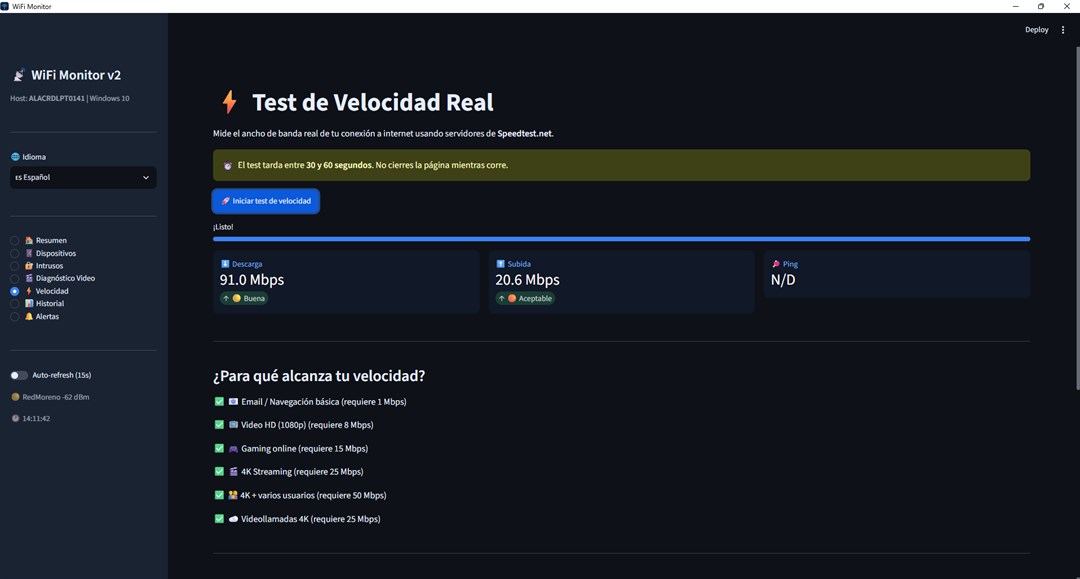
Run a download, upload and latency test whenever you need it, without leaving the app or opening a browser.
Compares your connection with what each video quality actually needs and tells you whether the problem is your network or the service.
Spanish, English, Portuguese, French, German and Italian, with no extra setup.
Keeps the sent and received traffic of the last seven days so you can spot patterns, not just the current moment.
Get a desktop notification the moment something changes on your network.
Define which devices are yours and the app flags any device that shows up outside that list.
The last three —Intruders, History and Alerts— are unlocked once for USD 1.99 from inside the app. Everything else is free, with no time limit.
Four real screens from the app. No mockups.
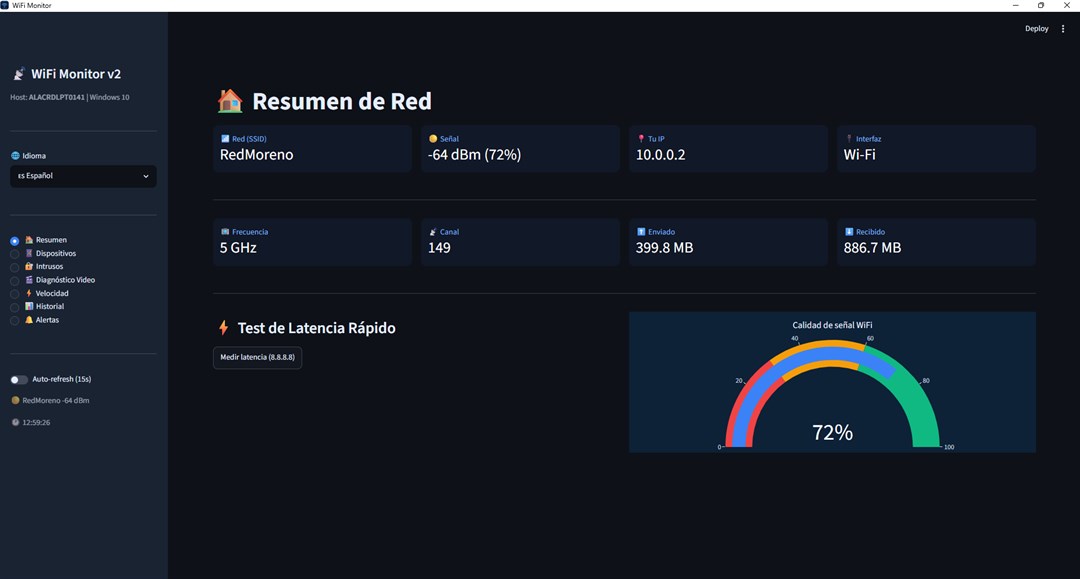
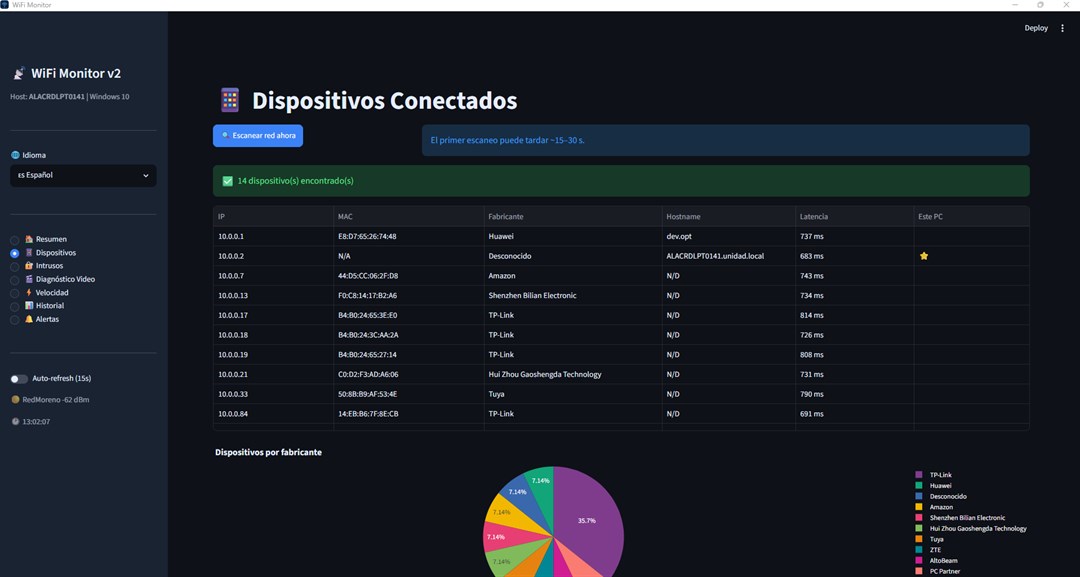
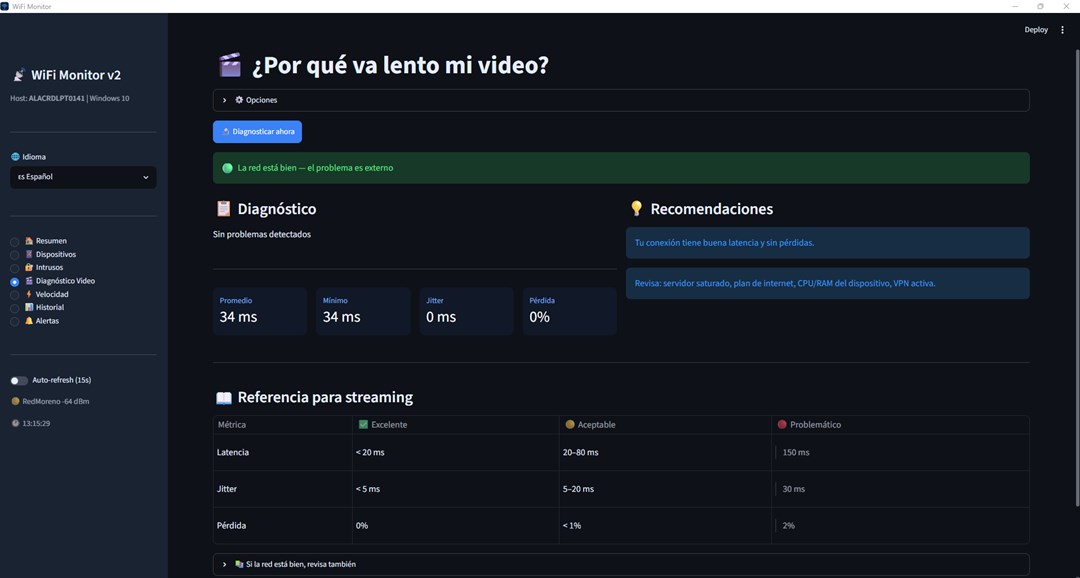
It scans your network and shows everything connected at that moment.
It takes a minute, just once. The ones you don't recognize, you can track down around the house by their manufacturer.
If something joins outside your list, it lets you know. And if you decide to lock down the network, the right order is to change the WiFi password on your router and tell anyone you gave access to.
It doesn't block devices for you. It identifies exactly which device is which —manufacturer, IP and MAC— so you can block it in your router settings, which is where that can be done. It also doesn't log into or change anything on your router: it only reads what it needs to show you the network.
It's an app for Windows PCs (not phones), and your PC has to be on and connected to the network to monitor it.
No. It installs like any Microsoft Store app and works with the WiFi you're already connected to.
No. It's a desktop app for Windows 10 and 11. There are phone apps for the same thing, but this one was designed for the PC: that's where you see the full list and can compare it with your router's page.
No, and be wary of any app that promises that. Devices are identified by their manufacturer and network address, not by their owner's name. What does work: turn devices off one by one until the unknown one disappears from the list, and that confirms which one it is.
The app is free: your full network, devices with their manufacturer, the speed test and the video diagnosis, with no time limit. If you also want the notices that tell you when something changes —Intruders, 7-day History and Alerts— they unlock with a one-time payment of USD 1.99 from inside the app.
No. It runs in the background and the device scan is lightweight. Desktop notifications can be turned off.
No sign-up, no card. Install it from the Microsoft Store and start seeing who is using your WiFi; if you want the notices, they unlock once for USD 1.99.
Open in Microsoft StoreWindows 10 (1809 or later) and Windows 11 · Payment through Microsoft